Keep things moving.
Start, stop and restart containers. Keep quick controls in your menu bar, even with the main window closed.
MACOS CONTAINER CONTROL / V0.1.0
A little order for your local chaos. Run databases, inspect builds, follow logs, and move files—all from one native Mac workspace.
PREVIEW · APPLE SILICON · MACOS 26+
THE CONTROL ROOM
Built for the everyday loop: run it, inspect it, break it, understand it.
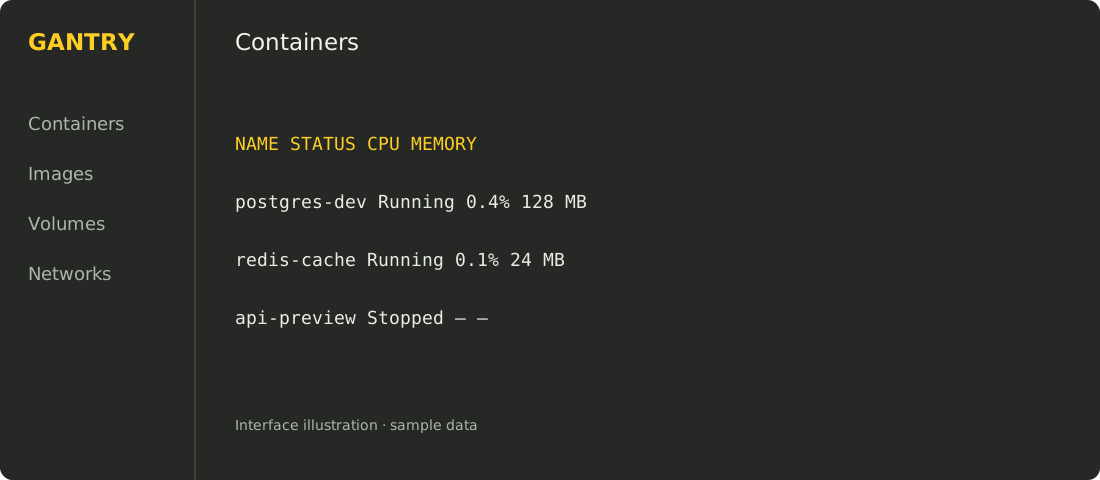
Interface illustrations with sample data. No local runtime information is published.
Start, stop and restart containers. Keep quick controls in your menu bar, even with the main window closed.
Follow and filter logs. Browse structured configuration. See CPU, memory and root-filesystem usage.
Browse files inside running containers. Upload, download and delete files with explicit controls.
Copy commands to connect, follow logs or create a similar container. Use the terminal you already love.
READY FOR UNLOADING
VERSION 0.1.0 · 16.4 MiB ZIP · SHA-256
Requires macOS 26+, Apple silicon, and an installed, running Apple container 1.x runtime. Gantry uses the 1.6.1 client.
Unzip the download, move Gantry to Applications, and open it. Your existing containers remain in place.
This build is ad-hoc signed and not notarized. macOS may require first-launch approval in System Settings → Privacy & Security. Only approve a download you trust.